
Verifying Your Library Card on Libby
Libby may occasionally prompt you to verify your library card before you can borrow or place a hold. To do so:
- Tap the Libby / Menu icon in the center of the bottom navigation bar.
- Tap Verify Card under “For Your Attention.”
- Tap Verify Card again, then sign in with your library card and PIN/password.
Your Farmington Community Library card PIN / password is usually the last 4 digits of your card number or your phone number. If you do not know your PIN, please call (248) 553-6880 during library hours for assistance.
Verification Issue When Borrowing from Partner Libraries
There is currently an issue in Libby where users are stuck in a card verification loop when trying to borrow from a partner library. Overdrive is aware and they are working on a fix. We don't know when it will be resolved.
In the meantime, try deleting and reinstalling the Libby app. Then, follow the instructions below to enable or reenable partner libraries.
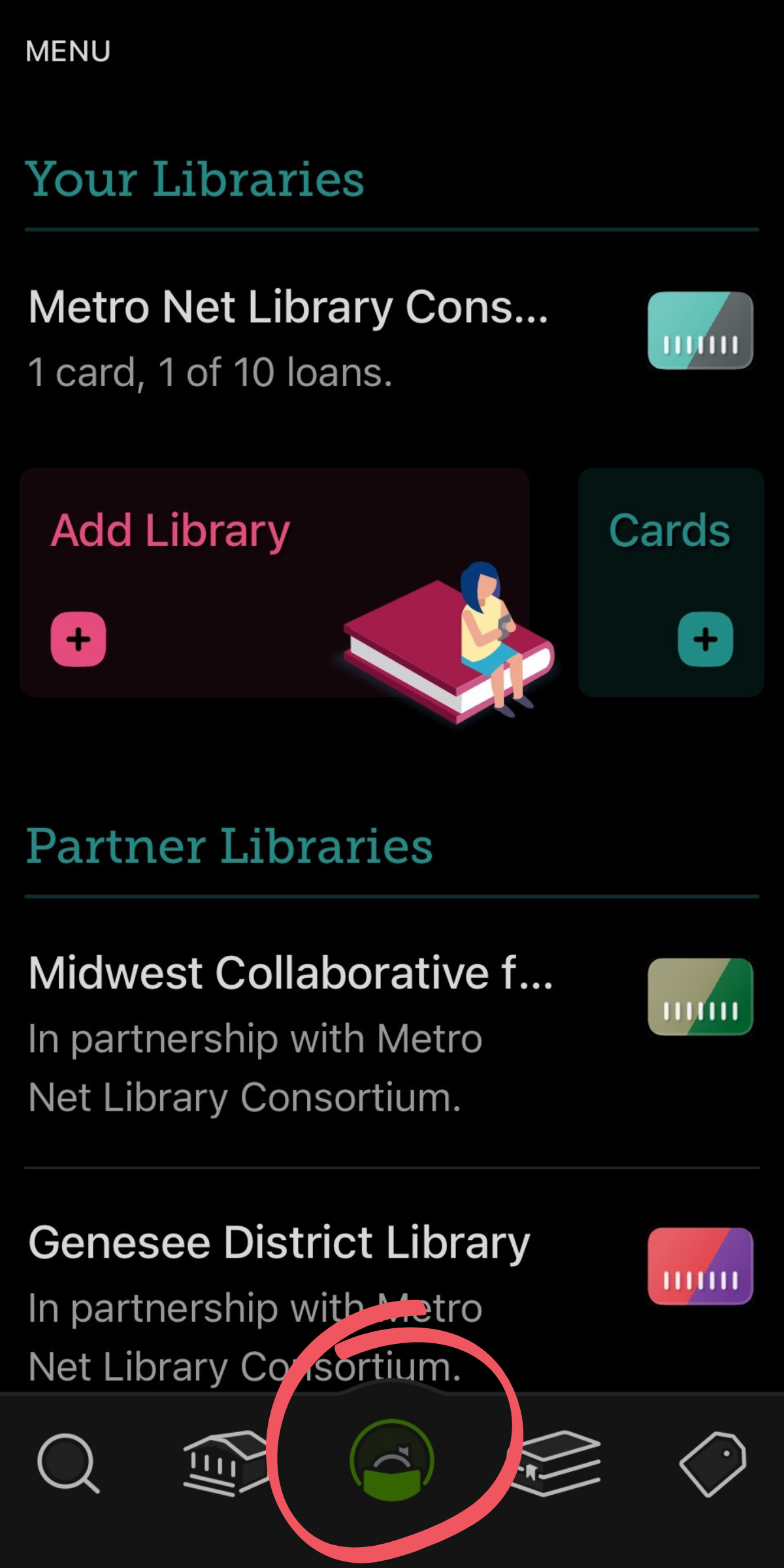
To start, tap the Libby / menu icon in the center of the bottom navigation bar. You'll now see two sections: "Your Libraries" and "Partner Libraries."
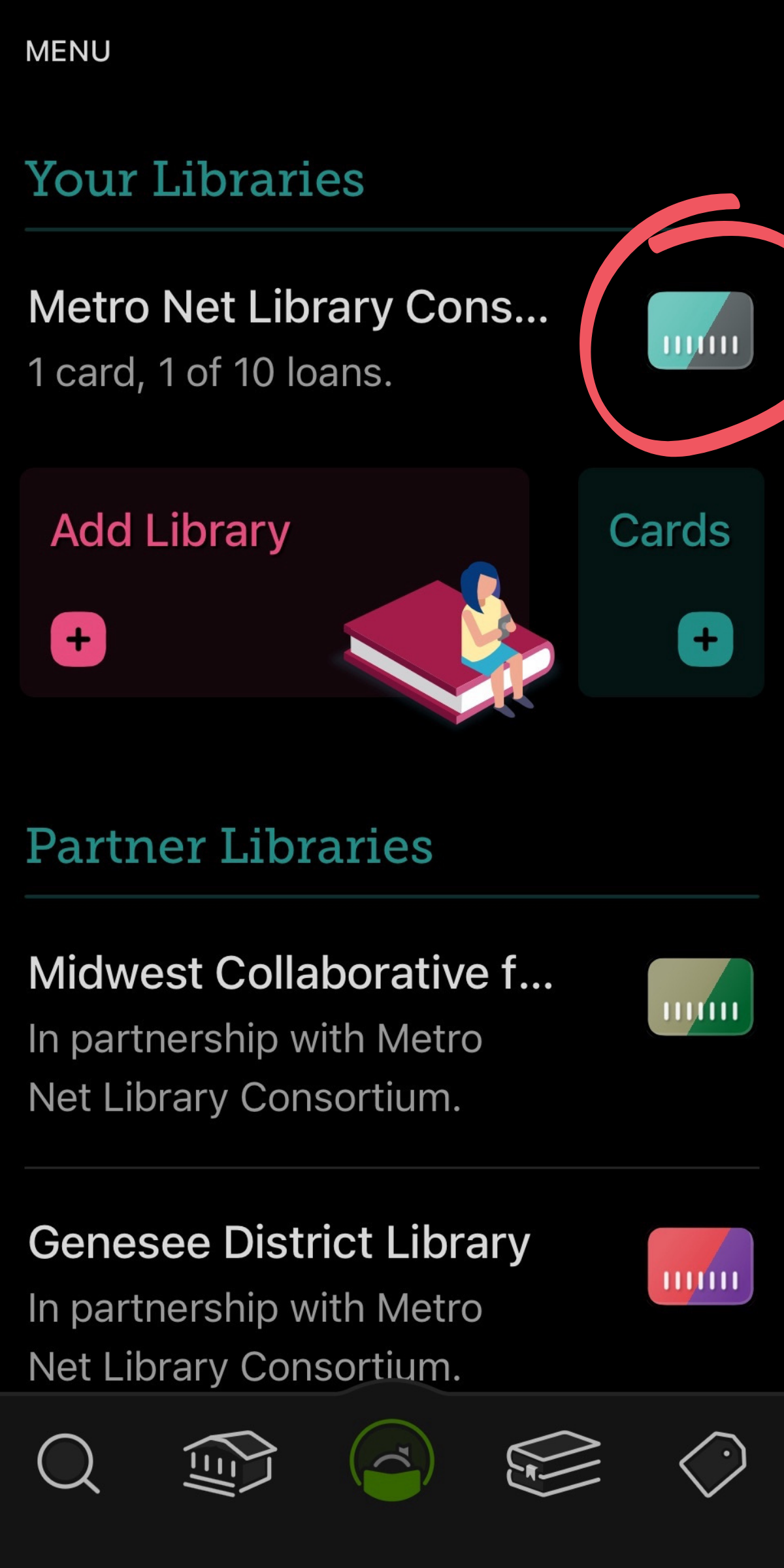
Under "Your Libraries," tap the library card icon (not the library name) for your home library. FCL cardholders: Your home library is listed as Metro Net Library Consortium.
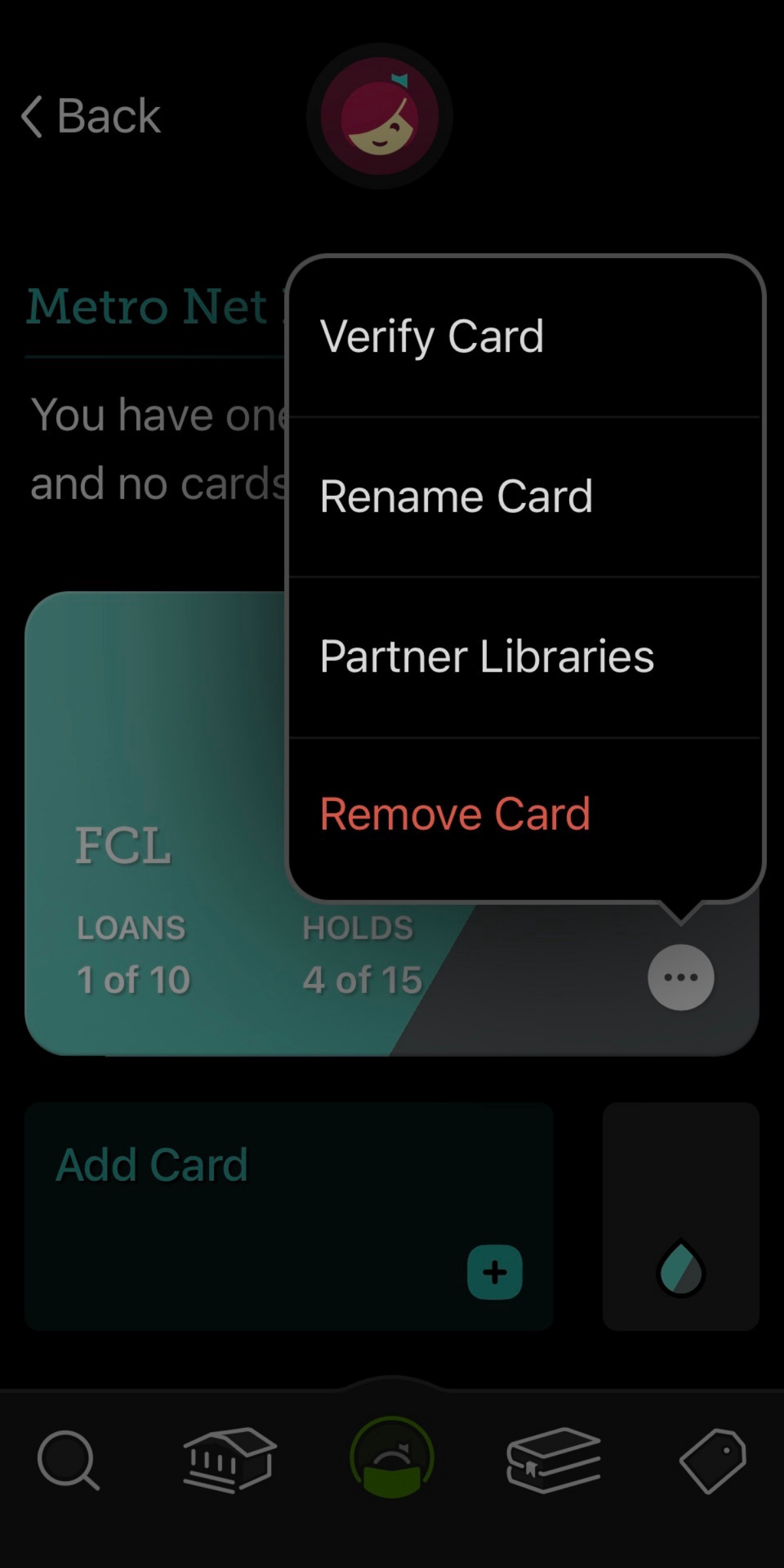
Tap the actions icon (three dots) in the lower-right corner of your library card. Then tap "Partner Libraries."
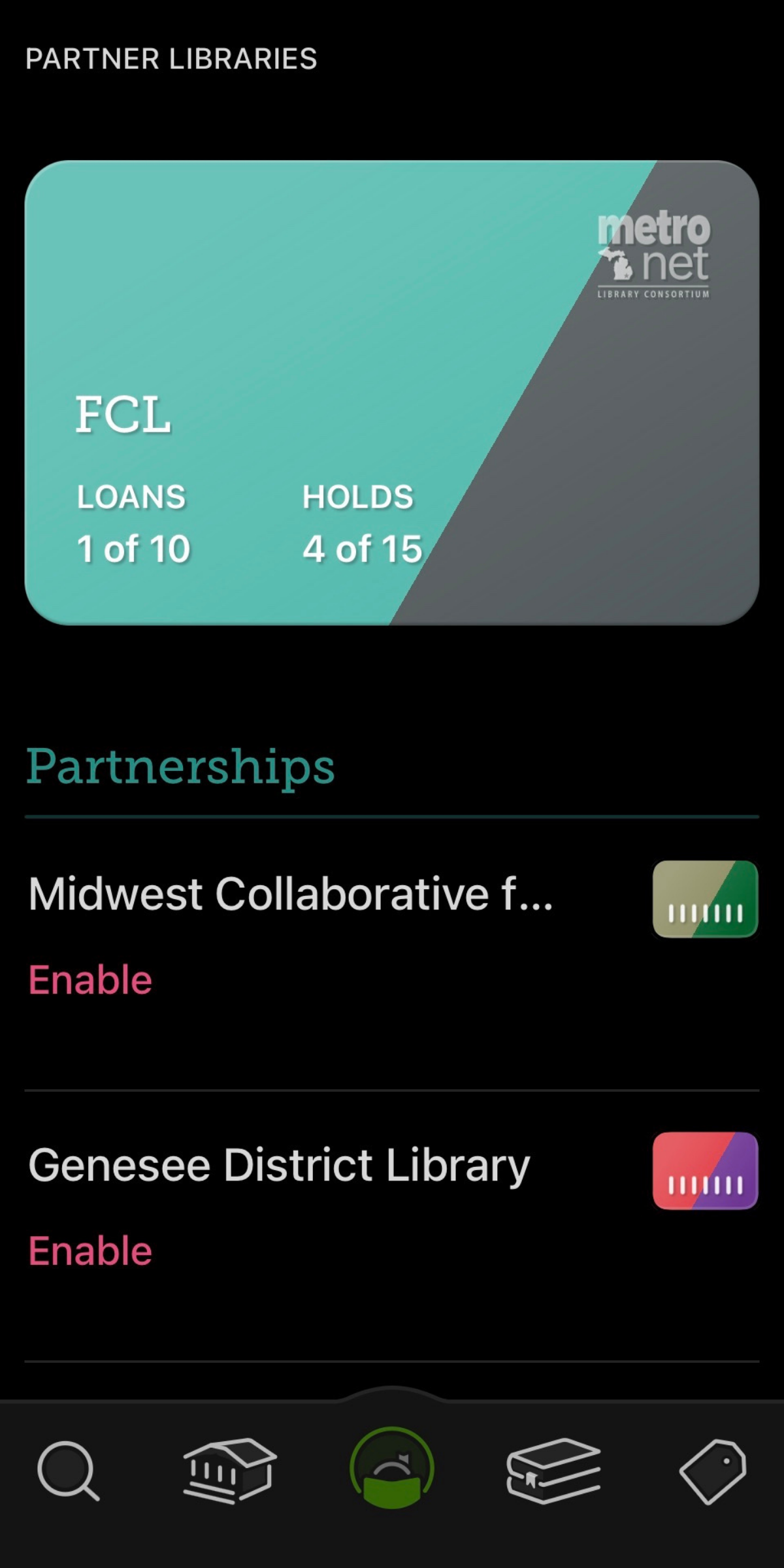
Tap Enable for each partner library you'd like to add. Already enabled? Tap Remove, then tap Enable to reactivate the partner library.
If you still experience issues after completing these steps, you can manually log into the partner library’s Overdrive website (listed below) to borrow your hold there, which should sync with your Libby app.
If you need assistance, please visit either FCL location or call us at (248) 848-6880 during library hours.
Partner Library Collection Pages
- Bay County Library System
- Clinton-Macomb Public Library
- Download Destination
- Genesee District Library
- Great Lakes Digital Libraries
- Jackson District Library
- Lakeland Digital Library
- Metro Net Library Consortium
- Mideastern Michigan Library Cooperative
- Midwest Collaborative for Library Services
- Southwest Michigan Digital Library
- St. Clair County Library System
- Suburban Library Cooperative
- Traverse Area District Library
- Up North Digital Collection
- White Pine Library Cooperative
- Woodlands Downloadable Library